LINUXOPOLIS
A short summary of building a personal Linux environment.Published with SteemPeak
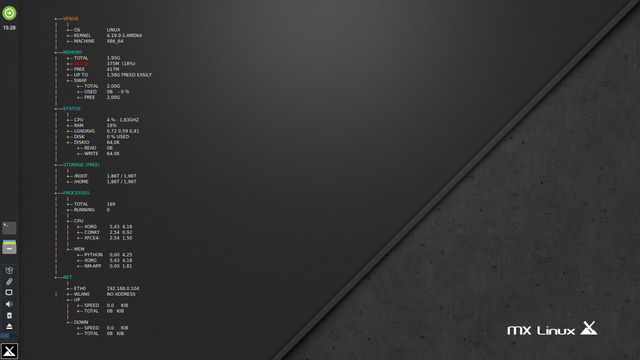 Screenshot by Willi Glenz
CONTENTS
``` 025 • JAVA ``` ``` ORACLE-TUTORIALS
Index : docs.oracle.com/javase/tutorial/reallybigindex.html Getting Started : docs.oracle.com/javase/tutorial/getStarted Language Basics : docs.oracle.com/javase/tutorial/java/nutsandbolts/index.html OOP Concepts : docs.oracle.com/javase/tutorial/java/concepts/index.html Classes and Objects : docs.oracle.com/javase/tutorial/java/javaOO/index.html Annotations : docs.oracle.com/javase/tutorial/java/annotations/index.html Interfaces and Inheritance: docs.oracle.com/javase/tutorial/java/IandI/index.html Numbers and Strings : docs.oracle.com/javase/tutorial/java/data/index.html Generics : docs.oracle.com/javase/tutorial/java/generics/index.html Packages : docs.oracle.com/javase/tutorial/java/package/index.html Exceptions : docs.oracle.com/javase/tutorial/essential/exceptions/index.html Basic I/O : docs.oracle.com/javase/tutorial/essential/io/index.html Concurrency : docs.oracle.com/javase/tutorial/essential/concurrency/index.html Platform Environment: docs.oracle.com/javase/tutorial/essential/environment/index.html Regular Expressions : docs.oracle.com/javase/tutorial/essential/regex/index.html Collections : docs.oracle.com/javase/tutorial/collections/index.html Date & Time : docs.oracle.com/javase/tutorial/datetime/index.html Deployment : docs.oracle.com/javase/tutorial/deployment/index.html Swing : docs.oracle.com/javase/tutorial/uiswing/index.html JavaFX : docs.oracle.com/javase/8/javase-clienttechnologies.htm Networking : docs.oracle.com/javase/tutorial/networking/index.html Generics : docs.oracle.com/javase/tutorial/extra/generics/index.html Internationalization: docs.oracle.com/javase/tutorial/i18n/index.html JavaBeans : docs.oracle.com/javase/tutorial/javabeans/index.html JDBC : docs.oracle.com/javase/tutorial/jdbc/index.html RMI : docs.oracle.com/javase/tutorial/rmi/index.html Reflection : docs.oracle.com/javase/tutorial/reflect/index.html Security : docs.oracle.com/javase/tutorial/security/index.html Sound : docs.oracle.com/javase/tutorial/sound/index.html 2D Graphics : docs.oracle.com/javase/tutorial/2d/index.html
SWING
• Bradley Kjell : chortle.ccsu.edu/java5/Notes/chap55/ch55_1.html • TutorialsPoint : tutorialspoint.com/swing/index.htm • Oracle Trail : docs.oracle.com/javase/tutorial/uiswing/
JavaFX
• Oracle : docs.oracle.com/javase/8/javase-clienttechnologies.htm
<br>
024 • AWK
$ awk 'BEGIN { print "Don\47t Panic!" }' $ awk -F: '{ print $1 }' /etc/passwd | sort | tee user.txt $ awk -F: '$1 == "userxyz" { print $0 }' /etc/passwd $ awk -F: '/userxyz|root/ { print $0 }' /etc/passwd
INSTALLATION
apt-get install gawk gawk-doc
$ dpkg -L gawk-doc | less
file:///usr/share/doc/gawk-doc/gawk-html/index.html#Top
DOKUMENTATION • Manual : gnu.org/software/gawk/manual/gawk.html • Tutorial I : tutorialspoint.com/awk/index.htm • Tutorial II : tldp.org/LDP/abs/html/sedawk.html
<br>
023 • MEMORY
SYSTEM-INFORMATION
$ top $ htop $ atop $ glances $ watch free -h $ less /proc/meminfo $ cat /proc/sys/vm/swappiness
sysctl -a
TROUBLESHOOTING
sysctl -a
sysctl vm.swappiness=15
sysctl -a
sysctl -a
bash -c "sync; echo 3 > /proc/sys/vm/drop_caches"
sysctl -p
sysctl -a
<br>
022 • ONE-LINER & COWSAY
INSTALLATION
$ cp ~/.bashrc ~/.bashrc_old $ echo 'clear' >> ~/.bashrc $ echo 'echo' >> ~/.bashrc $ echo 'neofetch' >> ~/.bashrc $ echo 'cowsay -W 80 -f moose $(cat ~/bin/oneliner.txt | shuf -n1)' >> ~/.bashrc $ echo 'echo' $ . ~/.bashrc
ON-LINER-TEXTFILE
$ vim ~/bin/oneliner.txt
bash -c "sync; echo 3 > /proc/sys/vm/drop_caches"
$ cat /etc/passwd | cut -d: -f7 | sort | uniq -c | sort -nr $ cat /etc/shells $ curl wttr.in $ mkdir -p Backups/{Sales,Development,HR}/{Jan,Feb,Mar,Apr,May,Jun,Jul,Aug,Sep,Oct,Nov,Dec}/{Sun,Mon,Tue,Wed,Thu,Fri,Sat}
mkdir -p /mnt/ram; mount -t tmpfs tmpfs /mnt/ram -o size=8192M
$ mkdir -p dummy/{1..100}/{1..100} $ watch -d -n 5 ls -l $ watch free -h :wq
<br>
021 • NEOFETCH
$ apt-cache search neofetch $ apt-cache show neofetch
apt install neofetch
$ cp ~/.bashrc ~/.bashrc_old $ \ls -lisa ~/.bashrc* $ echo "neofetch" >> ~/.bashrc $ . ~/.bashrc
$ inxi -v1
<br>
020 • VIM
SOURCES
• Homepage - vim.org • Reference - vimhelp.org/quickref.txt.html • Documentation I - vimhelp.org • Documentation II - vimhelp.org/usr_toc.txt.html • FAQ - vimhelp.org/vim_faq.txt.html • Wiki - vim.wikia.com/wiki/Vim_Tips_Wiki • Bram Moolenaar - moolenaar.net/habits.html • Ben McCormick I - benmccormick.org/2014/06/30/learning-vim-in-2014-the-basics • Ben McCormick II - benmccormick.org/2014/07/02/learning-vim-in-2014-vim-as-language • TutorialsPoint - tutorialspoint.com/vim/index.htm
INSTALLATION
apt-get install vim gvim vim-doc vim-scripts
$ dpkg -L vim-doc
update-alternatives --config editor
$ vim --version | less
CONFIGURATION
update-alternatives --config editor
$ vim ~/.bashrc
EDITOR=/usr/bin/vim VISUAL=$EDITOR export EDITOR VISUAL
VIMRC
$ vim ~/.vimrc
syntax on syntax off set nu nonu set relativenumber norelativenumber
set cursorline nocursorline set incsearch noincsearch set showmode noshowmode set showcmd noshowcmd set ruler noruler set hls nohls set background=dark set encoding=utf8 set mouse=a
set autoindent
set tabstop=3 set softtabstop=3 set shiftwidth=3 set expandtab
nmap w :w! map :echo 'Current time is ' . strftime('%c') map :set list! map :setlocal spell! spelllang=en_us
:ab psvm public static void main(String[] args) {}ko :ab sysout System.out.println("");2hi
VIM-SESSION
01 tutorial $ firefox vim-adventures.com & "" tutorial II $ vimtutor en
02 docu $ man vim "" docu II $ firefox file:///usr/share/doc/vim-doc/html/index.html & "" docu III :help user-manual • ^] ^o "" docu IV :help edit :help grep ^d ^u
03 buffer $ ^xe "" buffer :edit "" buffer $ vim -O ~/.vimrc ~/.bashrc ^ww ^wr ^wc ^wq "" buffer $ vim ~/.bashrc ~/.bashrc :args :ls :next :previous :n :N "" buffer :buffers :badd :b1 :b2 :bn :bp :bf :bl
04 motion ^d ^u H M L zz zb zt z z- l h j k 05 insert i I s S a A o O C
06 window :set nu nonu "" window :set relativenumber norelativenumber "" window :set hls nohls * "" window :set ruler noruler "" window :set linebreak nolinebreak "" window :call matchadd('colorColumn', '%81v', 100) "" window ^ws ^wv ^wr ^wc ^wq "" window gg G ^g 50% ^e ^y ^n ^u ^d ^f ^b
07 repeat .
08 macro qa :reg a @a
09 clipboard vj"+y
10 search / f * #
:set incsearch :nhls
11 change ~ "" change :%s/one/two/g "" change :set hls * cw n :set nohls "" change ci( ci{ ci<
12 delete x d$ diw dit di" dip das 13 undo redo u U ^r 14 match [InsertMode] ^n 15 abbreviate :ab :abc :unab ^v 16 mark m1 '1 `1 marks 17 fold zf5j zo zc zd 18 visual v ^v 19 text objects iw it i" ip as f F t T / 99 exit :wq :q! ZZ ZQ
INSERT MODE
i : Insert text before the cursor. I : Insert text before the first non-blank in the line. s : Delete character under the cursor and start insert mode. S : Delete line and start insert mode. a : Enter insert mode after cursor. A : Enter insert mode at the end of the line. o : Enter insert mode on the next line. O : Enter insert mode on th above line. C : Delete from cursor to end of line and begin insert.
TEXT OBJECTS
iw : inner word it : inner tag i" : inner quotes ip : inner paragraph i{ : inner brackets as : a sentence f,F t,T /
ABBREVIATIONS
:ab psvm public static void main(String[] args) {}ko :ab sysout System.out.println("");2hi ^v : deaktivate ab
<br>
019 • PYTHON
INSTALL ALTERNATIVE $ python $ python --version
update-alternatives --list python
update-alternatives --install /usr/bin/python python /usr/bin/python2.7 1
update-alternatives --install /usr/bin/python python /usr/bin/python3.5 2
update-alternatives --list python
$ python --version
CHANGE/DELETE ALTERNATIVE
update-alternatives --config python
update-alternatives --remove python /usr/bin/python2.7
<br>
018 • GLANCES
$ apt-cache search glances
apt install glances glances-doc
$ apt-cache show glances $ man glances $ dpkg -L glances $ w3m /usr/share/doc/glances/html/quickstart.html
ALTERNATIVE • Github : github.com/nicolargo/glances
pip install --upgrade glances
<br>
017 • DEBIAN
Homepage : debian.org Download : debian.org/distrib/netinst#smallcd Tutorials : debiantutorials.com DistroWatch : distrowatch.com/table.php?distribution=debian w3Tech : w3techs.com
Debian News : debian.org/News Debian Security : debian.org/security/#DSAS Debian Version $ cat /etc/debian_version
Package Documentation : /usr/share/doc Sources List Generator : debgen.simplylinux.ch Debian Backports : backports.org
DOCUMENTATION
• Documentation : debian.org/doc
• Installation Guide : debian.org/releases/stable/amd64/ • Release Notes : debian.org/releases/stable/amd64/release-notes/ • FAQ : debian.org/doc/manuals/debian-faq/ • Wiki : wiki.debian.org/FrontPage • Debian & Java : debian.org/doc/manuals/debian-java-faq/index.en.html • Securing Debian : debian.org/doc/manuals/securing-debian-howto/index.en.html • Menu System : debian.org/doc/packaging-manuals/menu.html/ch1.html • Networking HowTo : tldp.org/HOWTO/NET3-4-HOWTO.html • Gnome : help.gnome.org
• Reference Card # apt install debian-refcard $ dpkg -L debian-refcard | less $ w3m /usr/share/doc/debian-refcard/index.html • Reference : debian.org/doc/manuals/debian-reference/ # apt install debian-reference-en $ dpkg -L debian-reference-en $ w3m /usr/share/doc/debian-reference/docs/index.en.html • Handbook : debian.org/doc/manuals/debian-handbook/ # apt install debian-handbook $ dpkg -L debian-handbook | less $ w3m /usr/share/doc/debian-handbook/html/en-US/index.html
<br>
016 • SCREEN
apt install screen
DOCUMENTATION
$ man screen $ w3m gnu.org/software/screen/manual/screen.html • ctrl a? : Keybindings
SESSIONS
$ screen -S firstsession glances $ screen -X -S firstsession quit $ screen -ls : List screen sessions $ screen -r : Reattaching $ screen -x : Attach to a not detached screen session • ctrl ad : Detach session • ctrl ax : Lock session
WINDOWS
• ctrl ac : Create window • ctrl aA : Rename window • ctrl aa : Toggle window • ctrl a[0 .. 9] : Toggle window • ctrl a| : Split window vertically • ctrl aS : Split window horizontally • ctrl aX : Kill pane • ctrl an : Next window • ctrl ap : Previous window • ctrl ak : Kill window • ctrl a\ : Kill all windows • ctrl aw : Window bar • ctrl a" : Window list • ctrl ah : Hardcopy
EXAMPLE
$ screen -S firstsession • ctrl aS • ctrl a| $ htop • ctrl a • ctrl ac $ atop • ctrl • ctrl ac $ df -hT
CONFIGURATION
vim /etc/screenrc
$ vim ~/.screenrc
<br>
015 • SHORTCUTS
DAILY USE • +z fg bg jobs +u +k +w +.
CHARACTER • ctrl f : Move forward one character • ctrl b : Move backward one character • ctrl h : Generate a backspace character • ctrl d : Delete one character
EDITOR • ctrl xe : Editor
DESKTOP • alt F2 : Run Command
HISTORY • ctrl r : Search from history searching mode • ctrl g : Escape from history searching mode • alt . : Use the last word of the previous command
LINE • esc # : Making the line a comment • ctrl a : Go to the beginning of the line • ctrl e : Go to the end of the line • ctrl xx : Move between start of commandline and current position and back again • ctrl eu : Clear the line • ctrl k : Delete from cursor to the end of the line • ctrl u : Delete from cursor to the start of the line
TERMINAL $ gnome-terminal • ctrl alt F3 • reset : Reset the terminal • ctrl d or exit : Exit the terminal • shutdown -h now : Shut down the system
SCREEN • ctrl +- : Size • ctrl l : Clear the screen • ctrl s : Stop output to the screen • ctrl q : Allow output to the screen
<br>
014 • LINUX-FROM-SCRATCH (LFS)
SOURCES
• Homepage : linuxfromscratch.org/lfs/index.html • Download : linuxfromscratch.org/lfs/downloads/stable/ • Online-Book : linuxfromscratch.org/lfs/view/stable/ • DistroWatch : distrowatch.com/table.php?distribution=lfs
PROJECTS
• Linux From Scratch : linuxfromscratch.org/lfs/ • Beyond Linux From Scratch : linuxfromscratch.org/blfs/ • Automated Linux From Scratch : linuxfromscratch.org/alfs/ • Cross Linux From Scratch : trac.clfs.org/
STEPS
03 Virtualbox : # apt install virtualbox 02 Debian Live-CD : cdimage.debian.org/debian-cd/current-live/amd64/iso-hybrid/ 01 RTFM : linuxfromscratch.org/lfs/view/stable/
<br>
013 • TOOLBOX
apt install ...
A - alacarte atop aview
B - backintime-qt4 bluefish boostnote
C - calcurse clipit cherrytree cmus
E - espeak
F - firmware-iwlwifi firmware-realtek focuswriter fzf
G - gdebi gkrellm glances gnome-clocks gnome-do gparted grsync guake
H - htop hwinfo
I - inxi i3-wm
K - kismet
L - libreoffice links lsd lvm2
M - mc menulibre
N - netcat net-tools nmap
P - powertop printer-driver-cups
R - ranger
S - screen sudo syncthing
T - taskwarrior terminator timeshift timewarrior tripwire
V - veracrypt* vim virtualbox vym
W - w3m
Y - youtube-dl
<br>
012 • BASHRC
$ vim ~/.bashrc
HISTCONTROL=ignoreboth:erasedups alias h='clear; echo; history 30; echo' set -o vi bind -m vi-insert "\C-l":clear-screen EDITOR=/usr/bin/vim VISUAL=$EDITOR export EDITOR VISUAL
<br>
011 • FUZZI FINDER
$ fzf -e --preview 'head -100 {}'
<br>
010 • CRYPTOCURRENCIES
$ curl rate.sx $ curl rate.sx/btc@3d $ curl rate.sx/steem@3d
<br>
009 • /ETC/FSTAB
blkid
vim /etc/fstab
#RAMDISK none /media/ramdisk tmpfs nodev,nosuid,noexec,nodiratime,size=1024M 0 0
<br>
008 • ALIASES
$ vim ~/.bashrc
a='clear; echo; alias; echo' b='clear; curl rate.sx/btc@3d' c='clear; echo' cc='clear; ncal -3wy' cdh='\cd; clear; echo; lsd -l; echo' e='clear; cd ~/Apps; ./eclipse &' g='clear; glances' h='clear; echo; history 30; echo' l='clear; echo; lsd -l; echo' ls='clear; echo; lsd -l; echo' py='clear; python3' r='ranger' rs='clear; rsync -avzP --delete --stats --exclude-from "/home/user/.exclude.txt" /home/user/ /media/backup/' s='clear; curl rate.sx/steem@3d' ss='clear; curl rate.sx/steem@3d; gnome-screenshot -ac' t='clear; task; timew week; timew summary' tm='clear; timew month' tt='clear; task burndown.daily' ttt='clear; task calendar 2019' tw='timew' u='clear; sudo apt-get update && sudo apt-get upgrade && sudo apt-get dist-upgrade; sudo apt-get autoremove -yy' :wq
<br>
007 • RAM-DISK PERMANENT
mkdir -p /media/ramdisk
vim /etc/fstab
none /media/ramdisk tmpfs nodev,nosuid,noexec,nodiratime,size=1024M 0 0
mount -a
$ mount | column -t
<br>
006 • RAM-DISK TEMPORARY
mkdir -p /media/ramdisk
$ mount | column -t
mount -t tmpfs -o size=1024M tmpfs /media/ramdisk
mount -a
$ mount | column -t
<br>
005 • SOURCES.LIST FOR DEBIAN-STRETCH
• # vim /etc/apt/sources.list
• # Security updates • deb http://security.debian.org/debian-security stretch/updates main contrib non-free • deb-src http://security.debian.org/debian-security stretch/updates main contrib non-free
• # Base repository • deb http://ftp.de.debian.org/debian/ stretch main contrib non-free • deb-src http://ftp.de.debian.org/debian/ stretch main contrib non-free
• # Stable updates • deb http://ftp.de.debian.org/debian/ stretch-updates main contrib non-free • deb-src http://ftp.de.debian.org/debian/ stretch-updates main contrib non-free
• # Stable backports • deb http://ftp.debian.org/debian stretch-backports main contrib non-free • deb-src http://ftp.debian.org/debian stretch-backports main contrib non-free
• # Virtualbox • deb https://download.virtualbox.org/virtualbox/debian stretch contrib
<br>
004 • SYSTEM UPDATE AND UPGRADE
alias u='clear; sudo apt-get update && sudo apt-get upgrade && sudo apt-get dist-upgrade; sudo apt-get autoremove -yy'
<br>
003 • DCONF-EDITOR
apt install dconf-editor && apt show dconf-editor
• /org/gnome/terminal/legacy/default-show-menubar
<br>
002 • GNOME-TWEAK-TOOL
apt install gnome-tweak-tool && apt show gnome-tweak-tool
• Typing-Tab > Caps Lock key behaviour > Make Caps Lock an additional ESC|
<br>
001 • VIM-MODE in BASH
$ vim ~/.bashrc • set -o vi • bind -m vi-insert "\C-l":clear-screen ```